
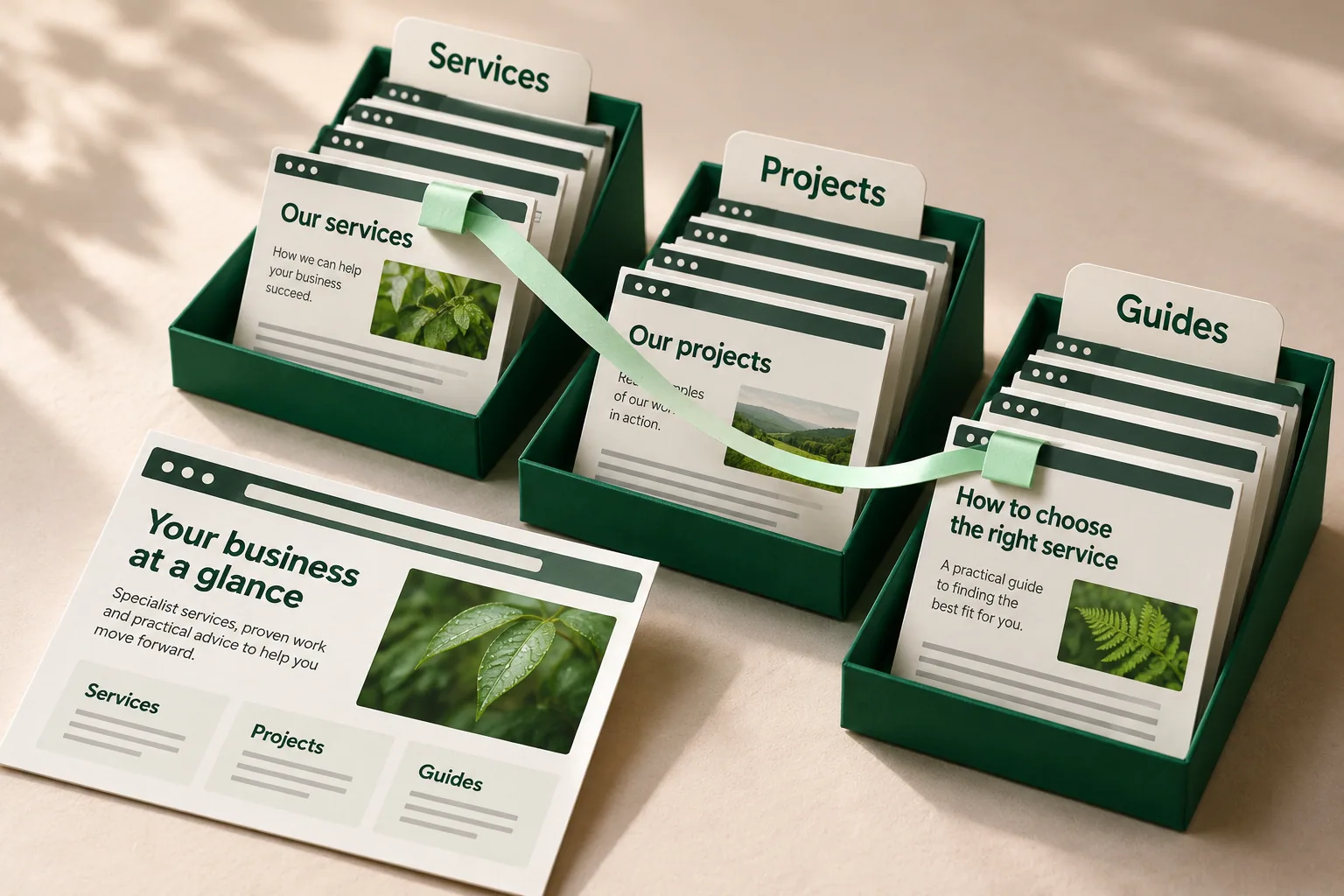
Your website needs to help people recognise what you offer, understand their options and take a useful next step. A small service business may need a handful of clear destinations. A larger range may need categories, comparisons and filters. The structure should follow those tasks and the information your team can keep accurate.
Start with the decision your customer is making.
A customer looking for a renovation builder may want to check the type of work, see a relevant project and understand how to begin. A product buyer may already know the item, or may need to compare materials and sizes. Someone using a product needs an answer to a different question again. Those starting points deserve attention before anyone draws a sitemap.
People can arrive through a search result, a shared guide or a project page. They may never see the homepage first. Each useful page needs enough context to explain where they are, what it offers and where they can go next.
Write down a few real tasks. Find a suitable service. Compare two options. Check relevant experience. Get a specification. Make an enquiry. These give you something concrete to test when the proposed structure is ready.
A page plan and a platform choice answer different questions.
Website architecture is used to describe several things. Information architecture concerns how information is organised and found. Technical architecture concerns the software, hosting and systems that deliver it. They influence each other, but choosing a page structure does not settle every technical choice.
It helps to separate four decisions: what information you hold; how you group the pages; how people move between them or search them; and how those pages are produced and maintained. Services, projects and guides are content types. A menu groups destinations. Related links connect relevant answers. A search tool retrieves matching information.
The terms flat, hierarchical, matrix and database are useful shorthand for some of these patterns. They are not four mutually exclusive packages. A site can have a clear hierarchy, useful cross-links and a searchable collection at the same time.
Direct access: keep a focused set of choices visible.
A flat structure places important destinations close to the main entry point, with little grouping between them. It can be a sensible starting point when the offer is focused and the destinations are easy to distinguish. Someone can choose the service or information they need without first learning a complex set of categories.
Consider the fictional building business below. Renovations and new homes are direct choices, alongside project examples, guides and contact. The drawing shows selected forward links. It leaves out return navigation and other site links so the basic idea stays clear.
The tradeoff appears as the offer grows. Adding every service, article and variation to the same menu can make the choices harder to scan. Keeping the menu short by removing necessary detail creates a different problem. Test whether the labels and destinations still help a new customer find their way; an arbitrary page-count limit will not answer that question.
A few clear destinations
Links directly to
- Renovations
- New homes
- Projects
- Guides
- Contact
Illustrative service business. Selected forward links from Home are shown; return navigation and other links are omitted.
Direct access keeps the main choices visible. Growth can make the same level crowded.
Related links: connect the next useful question.
A matrix pattern describes a network of relationships across pages. For a business website, those links should have a reason. A planning guide can lead to the relevant service. The service can show a project that demonstrates the work. A project can offer a way to discuss a similar brief.
Those pages serve different jobs. The guide explains a question, the service explains the offer and the project supplies relevant evidence. Each can keep a clear home while supporting several journeys. That is more manageable than copying the full explanation into every page that mentions the topic.
The tradeoff is editorial maintenance. Related links become less useful when the relationship is weak, the destination has changed or the next step sends the reader around in circles. Use descriptive link wording and read the destination in context. Google's guidance favours useful contextual links; adding connections is not a promise of improved rankings.
One relevant step leads to another
- GuidePlanning a renovation
Explains the service
- ServiceRenovations
Shows relevant work
- ProjectRenovation example
Offers a next step
- Next stepDiscuss your project
A fictional renovation journey. Dashed connections are deliberate contextual links, not a complete sitemap or a measured customer journey.
Guide: explain the question. Service: explain the offer. Project: show relevant experience. Then offer a useful next step.
Give each customer question a sensible page
Source info
Search and filters: offer more than one way into a collection.
A collection of products, properties or support articles may need several routes in. A visitor might browse a category, search for a known name or narrow the collection by an attribute. This is often called a database-driven structure. The useful distinction for the customer is retrieval: how they find a suitable item or answer.
Browsing and filtering should be able to lead to the same maintained detail page. A results view is a selection from the collection, not necessarily a second copy of every item. The content model supplies the facts that make the selection useful: product type, material, size, availability or another relevant field.
The benefit depends on those facts being accurate. Missing attributes, confusing filters and empty results need deliberate handling. Someone must own the data and decide how new or withdrawn items are treated. Before building the tool, try the tasks with a realistic sample of the actual range.
Two routes, one maintained detail page
Browse
Choose an item
Search or filter
Choose the same item
A fictional catalogue. Category browsing and filtered results can both lead to the same product detail page; the results view does not duplicate the product record.
Search and filters depend on accurate product fields. Their public URLs and discovery purpose need separate decisions.
Decide which filtered views deserve discovery.
Useful filtering can create a large number of address combinations. Material, size, colour, order and page number can multiply quickly. Some selections may answer a distinct customer need; others are temporary views or repeat much the same content.
Decide which pages should have a discoverable public purpose and which views simply help someone narrow the range. Google warns that uncontrolled faceted navigation can consume crawling resources and slow discovery of useful content. That is a reason to plan the implementation carefully, not to remove useful customer filters.
A developer or search specialist can then choose suitable URL, crawling and indexing behaviour. The controls serve different purposes. A general rule to index every combination, or block every filtered address, skips the decision the business actually needs to make.
Source info
Combine patterns around the task, rather than the industry label.
A professional-service website can keep its key choices direct, group a growing service offer and link each service to useful guides and projects. A shop can combine category browsing with filters and related items. A knowledge base can combine topic groups, search and links to the next relevant answer.
The six combinations below are starting examples, not fixed recipes. A publication may also need categories. Documentation may need product versions and a clear sequence. A marketplace may need search as well as a hierarchy. The label does not establish which feature is necessary or how complex it should be.
Add a layer when it solves a named problem. If people cannot distinguish the services, clarify the grouping. If they need evidence, connect the right project. If a large range is hard to narrow, investigate filters and the data behind them. Keep the smallest structure that supports the work, with room for realistic growth.
Six combinations, six questions to resolve
Flat + matrix
A publication
Prominent stories and related reading.
How will readers find older work and topics?
Hierarchy + database
A shop or media library
Browse a group, then narrow the collection.
Which fields and result views need maintaining?
Flat + hierarchy
A professional service
Core choices with grouped services or resources.
Does each added group help the customer choose?
Matrix + database
A knowledge base
Find an answer and explore related topics.
Does the reader need a sequence or version?
Hierarchy + matrix
Travel or marketplace
Browse groups and explore relevant alternatives.
Which connections are useful in context?
Flat + database
Product marketing and help
Direct marketing pages with searchable support.
How do buyer and existing-user tasks differ?
Illustrative combinations of navigation, links and retrieval patterns. These examples overlap; they are not exclusive or optimal recipes for each industry.
The useful test is what each added layer helps the visitor do, and what the business must maintain.
Organised content does not mean every page must be generated live.
The way information is stored and the time a page is produced are separate choices. A service description can be prepared when the website is built or published. A current availability check may need a fresh lookup when someone visits. Those behaviours can sit within the same overall page plan.
Astro, for example, supports pages prepared at build time and routes rendered on demand. That is one implementation example, not a recommendation for every business. A database, a CMS and a search interface describe different parts of the system; their names alone do not tell you how every page behaves.
The practical questions are how fresh the information must be, who edits it, what the visitor needs to do and what happens if a connected service is unavailable. Agree those requirements before comparing platforms, integrations or hosting arrangements.
The page plan does not decide when every page is made
Prepared before the visit
Update the source and publish the page.
Retrieved during the visit
Request a fresh value and handle an unavailable connection.
Illustrative delivery choices. Information prepared before a visit and information retrieved during a visit can coexist in one website.
Freshness, editing, access and failure recovery inform the implementation. A collection or hierarchy alone does not select the platform.
Source info
Bring the background considerations into the brief.
Start with an inventory: what pages and records exist, which are useful, which repeat the same answer and which are missing important information. Separate the public content from account-only material. A support article intended for existing customers may need a different route and access model from a public sales guide.
Then look at likely growth. Will the business add a service family, another product range, different audiences or product versions? What can the team realistically prepare and maintain? A structure designed around hypothetical future content can be as unhelpful as one that ignores an agreed expansion.
Include editing responsibilities, accessibility, integrations and change cost. Someone needs to name categories, maintain relationships, review facts and deal with withdrawn material. A more elaborate structure asks more of those people. Make that ongoing work visible alongside the first build.
Treat a structural change as more than a menu edit.
An existing site already has pages people use, links that point to them and information the business relies on. Review that material before reorganising it. A clearer menu may be enough. Other cases need new group pages, revised content or a planned migration.
If addresses change, map the old and new destinations deliberately and check the resulting links and redirects. Preserve useful content and relevant access rather than assuming a new menu will repair everything. Recheck important tasks on the built site, including arrival on an interior page.
Keep the structural decision and the migration work visible in the scope. A simple-looking change can affect content, search discovery, staff workflows and existing references. The amount of work should follow the actual inventory and dependencies.
Test the plan with a real task and a normal update.
Give someone who does not know the structure a specific task. Ask them to find the right service, locate a relevant example or retrieve a product detail. Let them choose the route without explaining the menu first. Their hesitation and wrong turns can be more useful than whether they like the diagram.
Test the other side too. Ask the person maintaining the site to add a service, update a specification or withdraw an item. Check where the facts are held, what else changes and who reviews the result. A page plan should help the team keep the public explanation accurate.
A successful visual review shows that the plan is readable. A working build shows that its links and controls function. Whether customers understand the offer better, make more suitable enquiries or buy more needs its own evidence. Begin with a structure you can explain, maintain and test, then improve it from what you learn.
Put it to use
A useful check for your business.
- Name the important customer tasks and the words people use for them.
- Give each service, product, guide and project a clear purpose and home.
- Explain what each group, related link or filter helps someone do.
- Agree which information is public, who maintains it and how fresh it must be.
- Test arrival on an interior page and a normal content update.
- Include existing URLs, redirects and dependencies when changing a live site.
Source info & further reading
Our practical interpretation, with the references below for the specific principles and further detail.
- Help Google understand your ecommerce website structure
Linked category and product paths and the limits of search-box-only discovery. It does not prescribe one structure for every business.
- Link best practices for Google
Descriptive, crawlable links and relevant contextual relationships; not a ranking forecast or ideal link count.
- Managing crawling of faceted navigation URLs
The URL-combination and crawling considerations behind filtered collections. Implementation depends on the purpose of the views.
- On-demand rendering
One concrete example of build-time pages and selectively server-rendered routes coexisting; not an endorsement for every project.